

Gear Live App News and Reviews: Articles Tagged Retina Display
Latest Andru Edwards Videos
iWork apps updated for iPad Retina Display

Posted by Andru Edwards Categories: Productivity, App Updates, iPad Apps, Apple, $9.99,

To go along with the new iPad, Apple has been hard at work updating nearly all of its apps to support the new Retina display of the tablet, and that includes all three iWork apps. Pages, Keynote, and Numbers are all now available in version 1.6 in the super high 2048x1536 resolution. Pages also brings new 3D bar and charts, Keynote has new animations available, and Numbers is largely the same aside from the new Retina support. You can download all the app updates now, or buy them for $9.99 each.
Advertisement
iPhoto for iPad and iPhone released for $4.99
Posted by Andru Edwards Categories: Photography, iPad Apps, New Apps, Apple, $4.99,
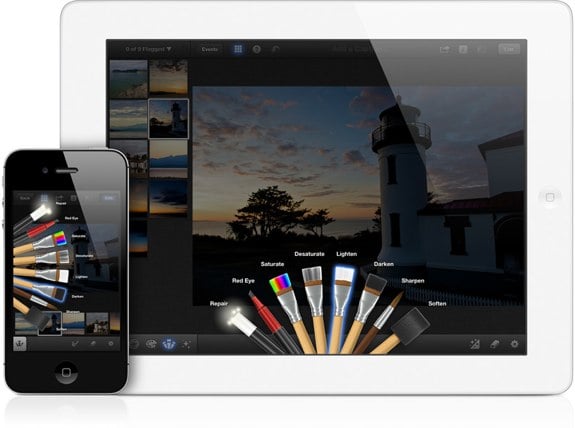
At yesterday's iPad event, Apple unveiled the final piece of the puzzle as it pertains to bringing the full iLife suite to iOS with the release of iPhoto for iPad and iPhone. Similar to GarageBand and iMovie, iPhoto is available now as a universal app for $5. So, what's the draw? Well, iPhoto lets you use your iOS device's multi-touch display to perform basic photo editing function like simple one-tap white balance, red-eye removal, and exposure adjustments. You can also crop and straighten images, and remove blemishes with ease.
You can pull up your photos that are stored on your device, including the camera roll and Photo Stream, and compare images side-by-side. Edits are non-destructive as they save a copy rather than editing the original. You can process images that are up to 19 megapixels, which should be fine for the vast majority of people out there, but for those of you shooting with a Canon 5D Mark II in RAW format, you may wanna look elsewhere for your photo processing software--but in that scenario, why would you be using an iPad for that function anyway?
You've got a bunch of sharing options, including Twitter, Facebook, and Flickr. You can also export photos to your Camera Roll and to iTunes and email them to contacts. One new feature is Journal, where you can select a group of photos that iPhoto then puts together in a unique gallery with dates, weather information, maps, and more. It's like making a diary out of photos relating to an event or range of dates.
For $5, you can't go wrong with iPhoto for iOS. You can get it now on the App Store.